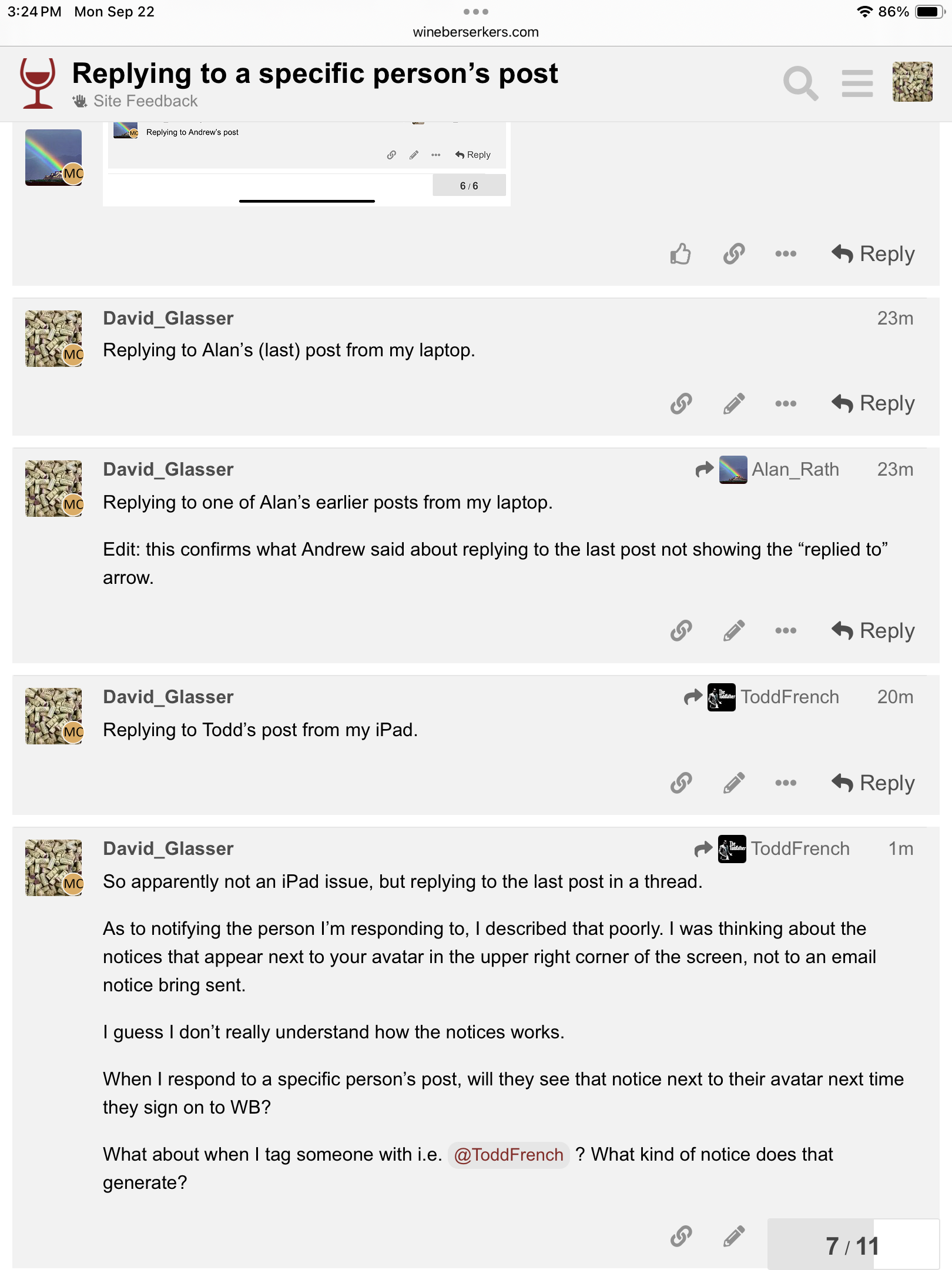
When I reply to a specific post on my laptop, the reply shows a little arrow pointing to the person whose post I replied to, and presumably notifies them of the reply.
When I do that on my iPad, there is no little arrow pointing to the person I responded to unless I actually quote their post or part of it.
I’m guessing this has something to do with browser settings? I’m using Safari on both the laptop and the iPad. Any tech gurus with advice on how to fix this?
I see the arrow on my computer or my phone. However, there is a known gap where it doesn’t display the arrow if you reply to the last post in the thread or the OP in the thread. Like there’s no arrow on my post here even though I replied to your post because it’s the OP.
The only time a user is notified that you replied to a user is if they have their preferences setup such that they are instantly notified of every reply (all this is customizable in the user’s own preferences).
Also, it would be helpful to post screenshots so I can look more specifically at the issue
Replying to Andrew’s post
Replying to Alan’s (last) post from my laptop.
Replying to one of Alan’s earlier posts from my laptop.
Edit: this confirms what Andrew said about replying to the last post not showing the “replied to” arrow.
Replying to Todd’s post from my iPad.
So apparently not an iPad issue, but replying to the last post in a thread.
As to notifying the person I’m responding to, I described that poorly. I was thinking about the notices that appear next to your avatar in the upper right corner of the screen, not to an email notice bring sent.
I guess I don’t really understand how the notices works.
When I respond to a specific person’s post, will they see that notice next to their avatar next time they sign on to WB?
What about when I tag someone with i.e. @ToddFrench ? What kind of notice does that generate?
As Todd said, it depends on your preferences. But I get alerts when someone replies to me or tags me.
1 Like
OK, got it. Thanks Andrew.
But I didn’t get an alert on that last reply. I think it doesn’t alert also if it’s the last post? Kind of a dumb feature.
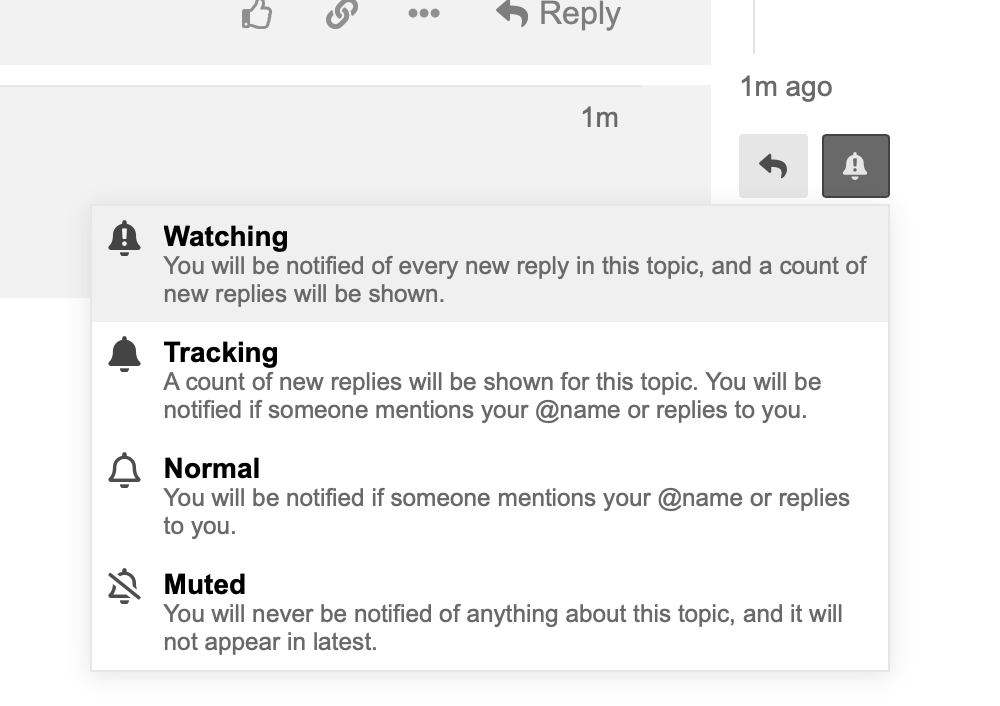
On any thread if you want a notice for any reply ever (it’s default ‘on’ unless you changed it for your own threads) you can do so with the bell, which is the alerts customization
You won’t get an alert on EVERY reply other than a notice that there are new replies in your thread, or if someone tags you you will see an alert specifically FOR you on that one post that tagged you
Right, replying to the last post doesn’t trigger the alert. That’s a bug.
Well, technically I think it’s a feature because it’s that way by design. They say it reduces noise on back and forth discussions.
However, there is a setting Todd could change to enable it.
I can see that. Not a big deal now that I understand it.
As Andrew says, but also, I suspect, because it’s common for someone to reply to the last post even if they are not specifically responding to that person’s post. Even I sometimes make that mistake, instead of hitting the bigger Reply button at the very bottom.
1 Like